Wednesday, November 22, 2023

Back home from the PASS Data Community Summit

What a week it was. While it wasn’t my first in person conference this year, it felt different. For the past 20+ years, the Summit has been one of the standard parts of my year. It was always marked on my calendar as where I would be, and for years I would make hotel reservations just as soon as the data was announced.

This year was special for so many reasons. Here are a few of my favorite moments, mostly in pictures.

I finally made it to SQL Saturday Portland.

Great event, all around. From the walk to the location through the leaves.

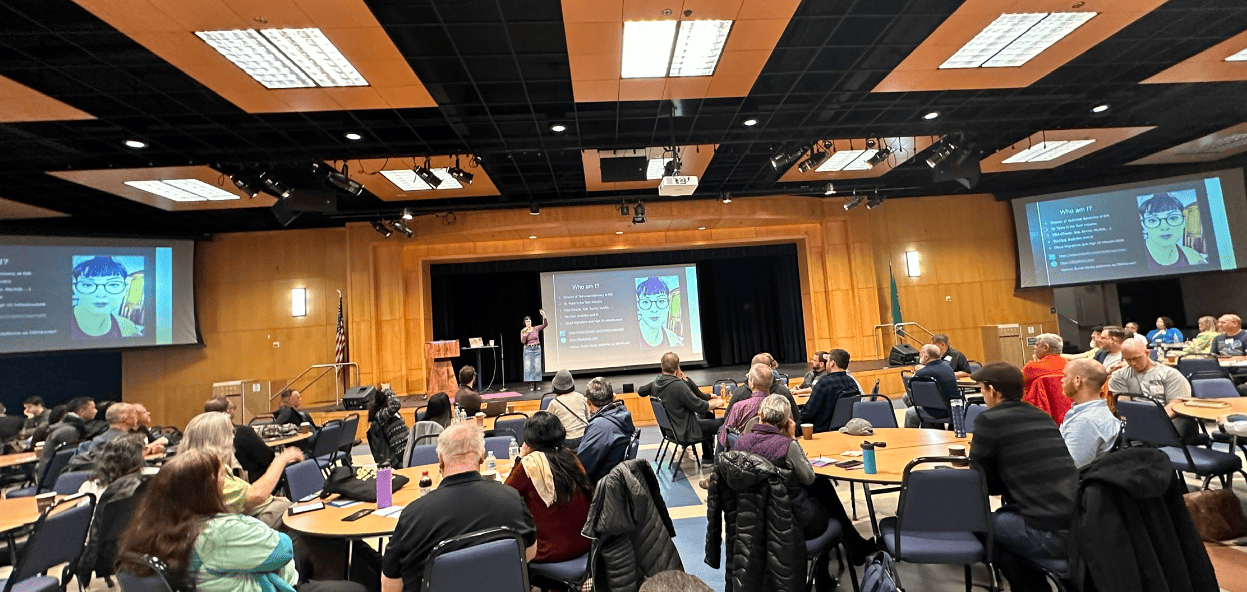
To the great sessions. What a time!

A group of people in a room Description automatically generated

SQL Train was as much fun as expected

It was my first time on a passenger train, and in a working train station.

A large building with benches and a large ceiling Description automatically generated with medium confidence

I couldn’t have shared that experience with a better group!

A group of people on a train Description automatically generated

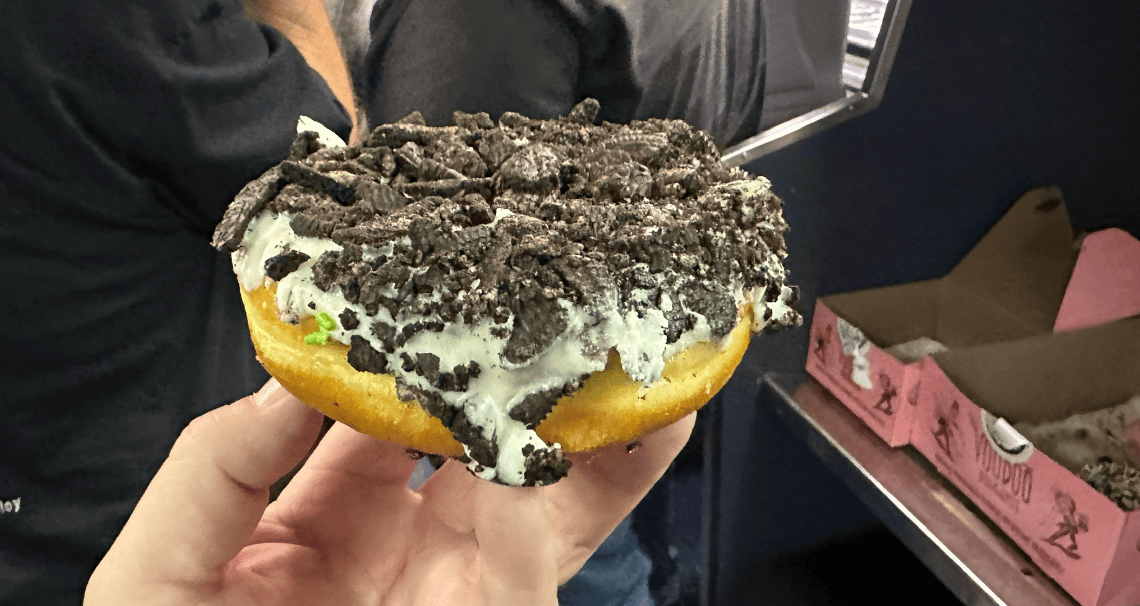
I probably could have eaten better!

A hand holding a donut with a chocolate topping Description automatically generated

Thankfully my friend Erland had an extra sandwich so I did eat something that wasn’t donut shaped!

The views were amazing (the train windows are not your friend when taking pictures!)

A train tracks with trees in the background Description automatically generated

Summit Time

This year was really different when arriving at the Summit because I didn’t really have that much involvement in the day-to-day operations, or choosing sessions. (I help a little bit, but only in an advisory manner).

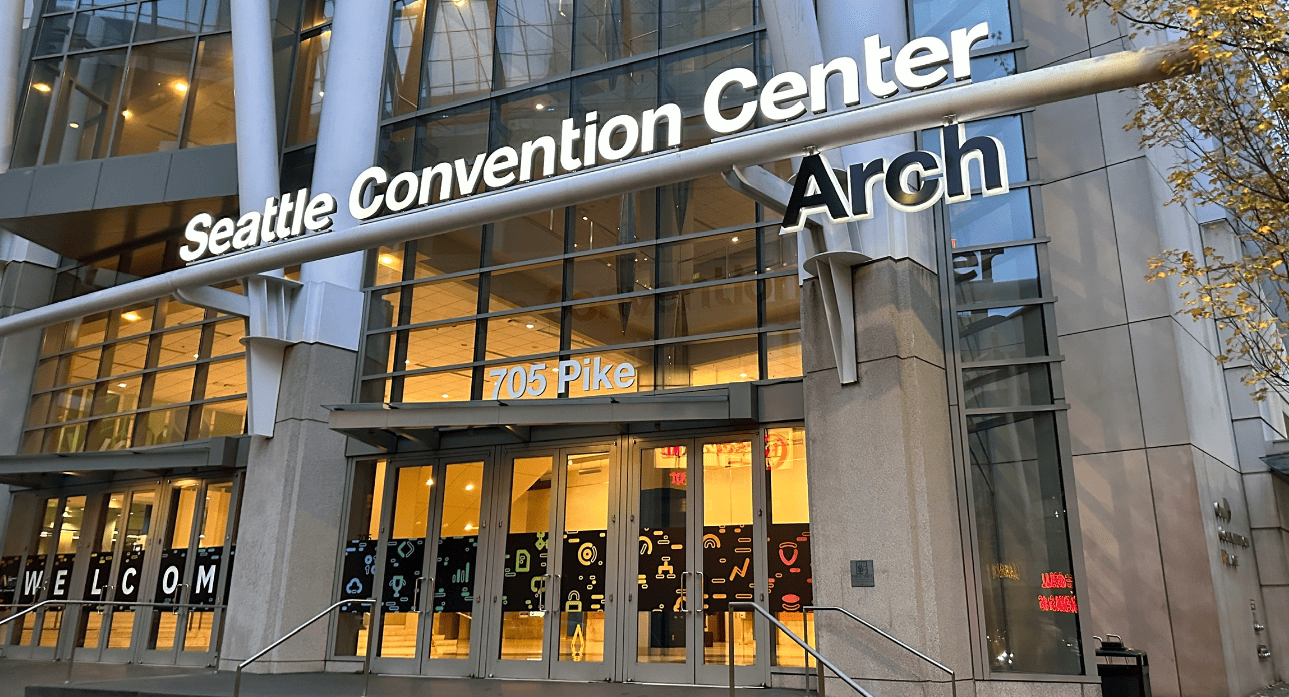
They changed the entry to the Convention Center. I don’t like change 😊.

A building with a sign on the front Description automatically generated

Walking up to the escalators was a great feeling. It all came rushing back. Whether or not this conference is in this building again is something I don’t know. But I am glad to have seen this site one more time at least.

Escalators in a building with a sign above it Description automatically generated

Registration was in the same place, so I instantly felt that nostalgia rush!

A group of people standing in a queue Description automatically generated

One big difference? Not only do I know a lot of people in the SQL Community, but I also knew a lot of people who work for Redgate (since I work there too 😊).

Carly, Cara, Anika, and Dave (the people you can see their faces) were all there to work tirelessly to make the conference great. And it was!

A group of people standing in a room Description automatically generated

Everyone I have met since starting at Redgate has been awesome.

The Regular Week Starts

After some offsite meetings, the week started. I basically did two things. Liveblog the Keynotes, and work the hallway track saying hello to friends, and finding new writers for Simple-Talk (Interested? Email editor@simple-talk.com and you can find more detail here);

Keynotes.

I liveblogged the keynotes, (as did Chris Yates on his website). You can find those blogs here on the Simple-Talk website tagged as PassDataSummitKeynote2023. This was quite an experience, as you just must keep it going no matter how fast people talked!

There were high notes in all three keynotes. Microsoft announced some new interesting things in theirs, and of course the Conor and Bob show didn’t disappoint.

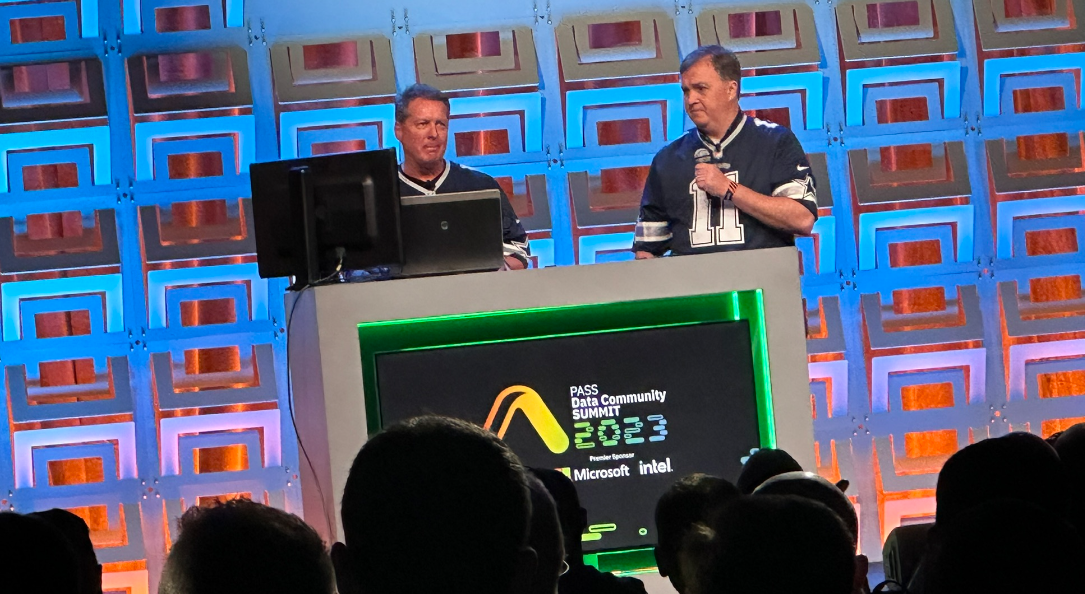
A person standing at a podium with a microphone Description automatically generated

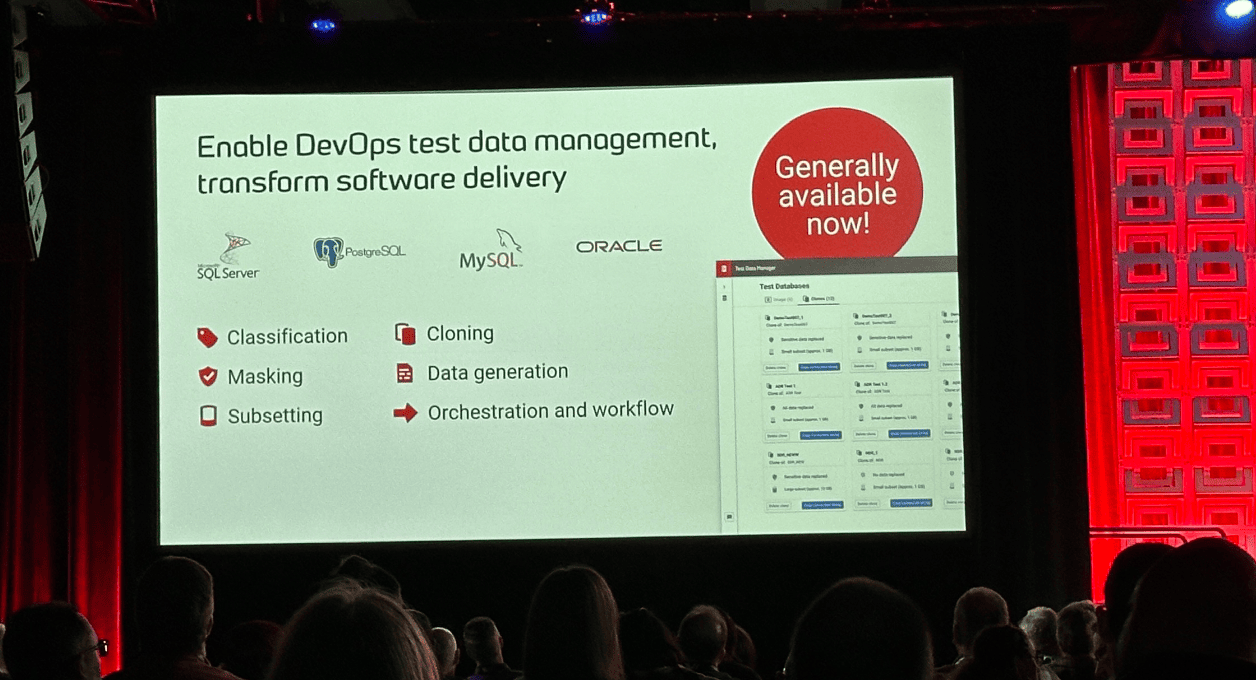
Redgate announced that the Test Data Manager tool is generally available in their keynote:

A large screen with a large screen with text on it Description automatically generated

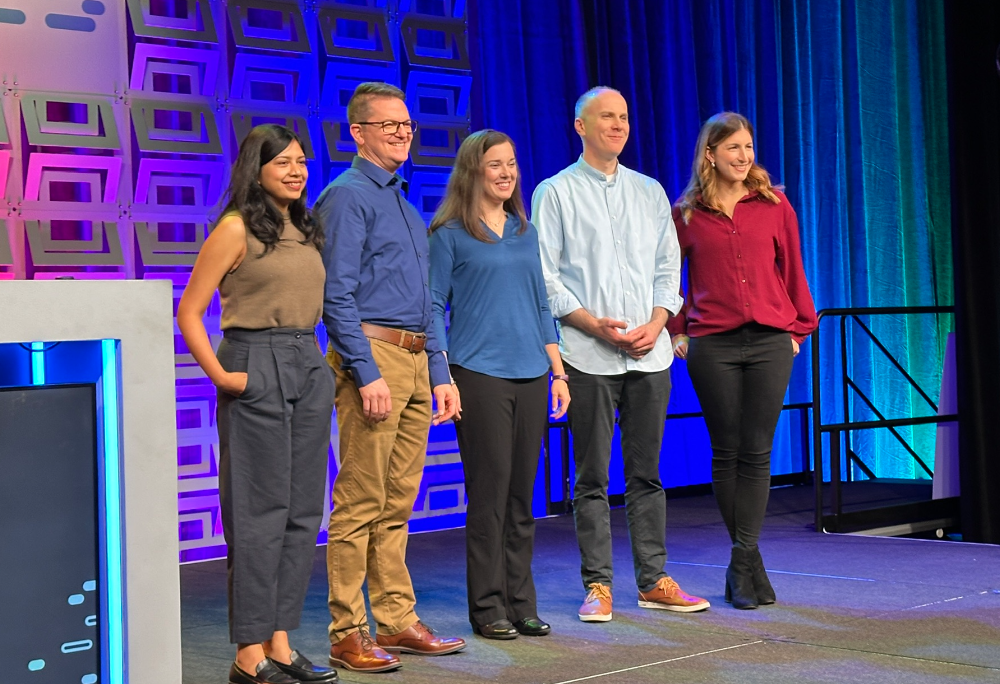
The team from Redgate did a great job!

A group of people standing on a stage Description automatically generated

Tushita Gupta, Ryan Booz, Stephanie Herr, David Gummer, and Carly Miechen! They all rocked it!

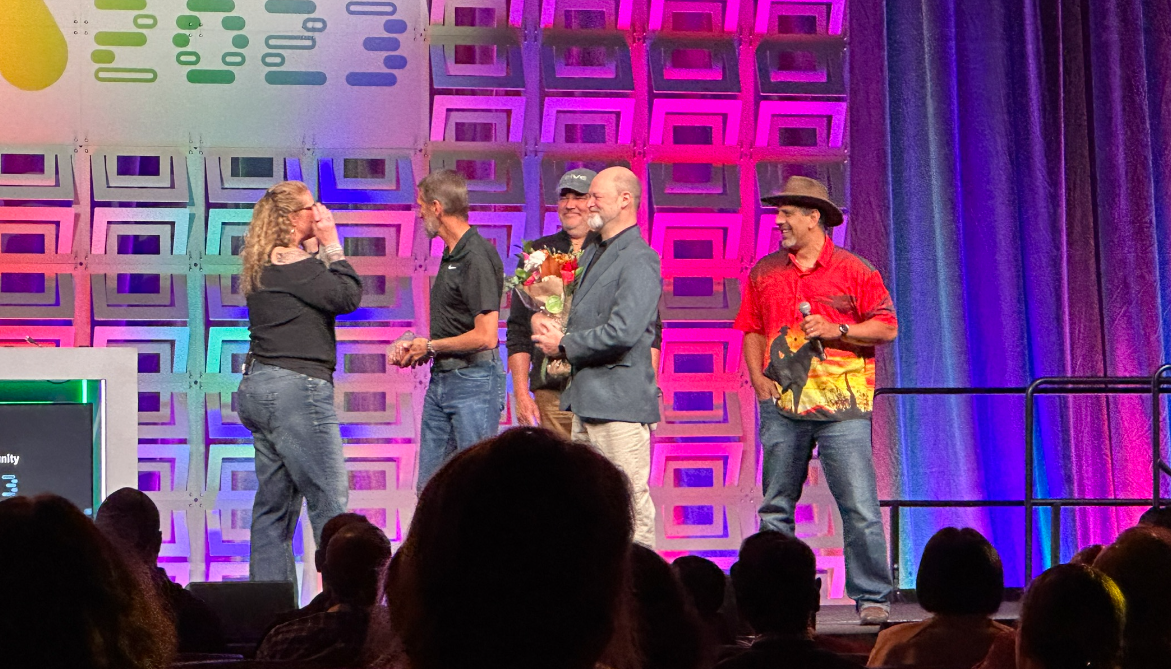
During the community keynote, the wonderful Kimberly Tripp was celebrated after she announced the speakers. She is retiring from working in the SQL Area. Our loss, but she has some fun/awesome/amazing/useful to the world, stuff coming up in her life!

A group of men on a stage Description automatically generated

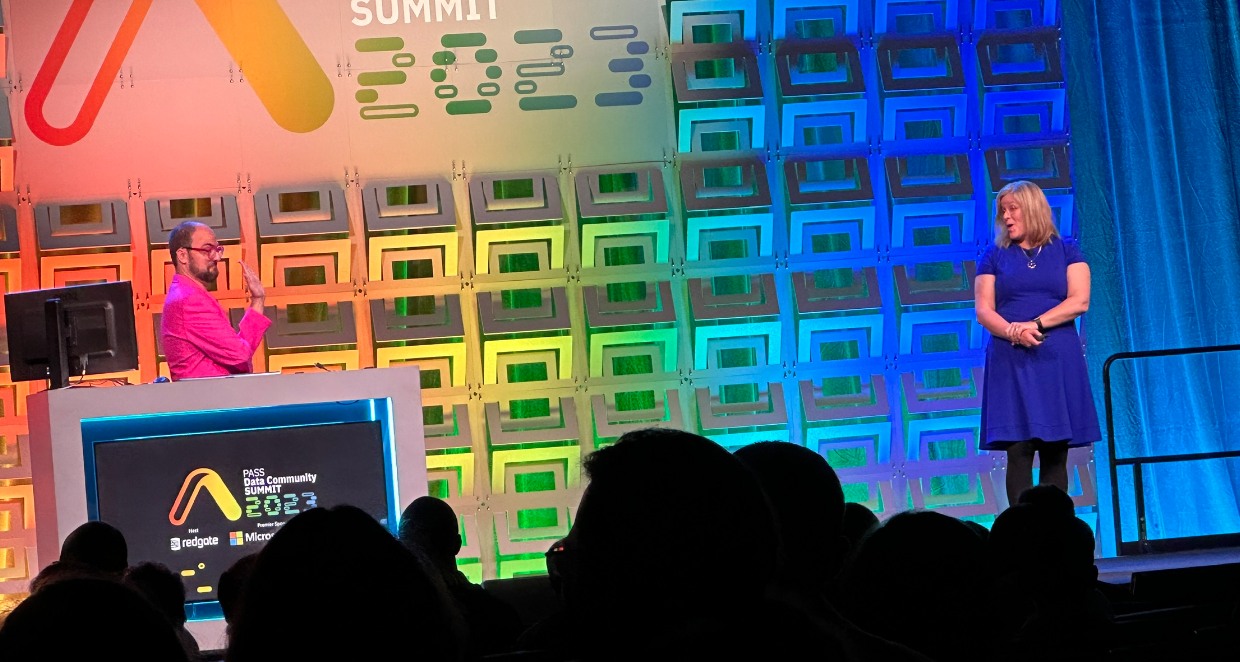
And of course, Ben Weismann and Melody were great…

A group of people in front of a wall with colorful lights Description automatically generated

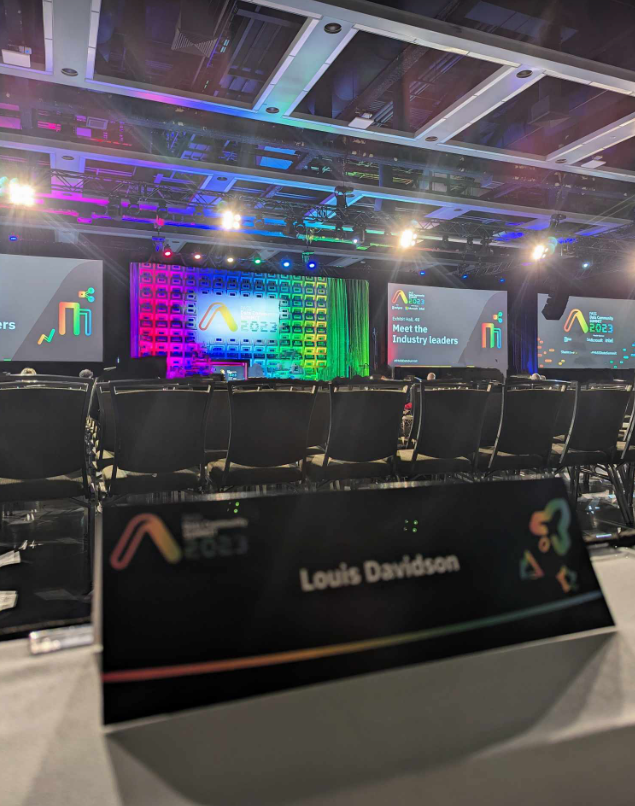
My good friend T Jay Belt hung out with me for the community keynote, and took a few pictures of me furiously clicking away:

A person sitting at a table with a computer Description automatically generated

A room with chairs and a screen Description automatically generated

A person using a computer Description automatically generated

Finally, the Hallway and Vendor area Tracks

Like most every year, the best track was the hallway track. Sessions were recorded in rooms, but they were not recording the small sessions taking place in the community zone, nor were they recording all the conversations we were having!

A group of people sitting in chairs Description automatically generated

Tony Davis, Tonie Hauser and myself also did a session on technical writing, but I didn’t take pictures of that session!

The trade show floor was buzzing all the time!

A group of people in a room Description automatically generated

Sad and Glad it is Over

Sad is probably obvious. It was great seeing all the people I haven’t seen for a while, and connecting with quite a few hopeful writers for Simple-Talk in the future. The views from the community zone area didn’t disappoint. I could have looked out the window for a very long time.

A view from a window of a city street Description automatically generated

A view of a street with trees and buildings and water Description automatically generated

Glad it is over; may be a bit confusing. I am glad that it is over because I am exhausted. I was at 6 days of conferences, walked nearly 30 miles, and did not always sleep great (because I wanted to be up early for the conference!)

So right now (even 3 days after getting home), I am beat.

But like every conference and every vacation I take, by the next time it happents, I will have long forgotten this feeling of tiredness and be ready to do it all again!


The post Back home from the PASS Data Community Summit appeared first on Simple Talk.


from Simple Talk https://ift.tt/05ObGXL
via

Monday, November 20, 2023

Strategies for queries against bit columns

Recently someone posted a question where they couldn’t quite figure out how to construct a predicate based on a bit parameter. They tried to write a procedure like this, which wouldn’t parse, of course:

CREATE PROCEDURE dbo.whatever
   @flag bit = 0
 AS
   SELECT * FROM dbo.tablename
   WHERE
     IF @flag = 1
         flag_column = 1
     IF @flag <> 1
         flag_column = 0;

I explained that you can’t have control-of-flow inside a SQL statement like that, at least not in T-SQL. And that the way you should do it is as follows, if the table is sensible and the bit column doesn’t allow NULL:

... FROM dbo.tablename
    WHERE flag_column = @flag;

And then – because the user didn’t include the table definition – I added that if the column does allow NULL, one way would be:

... FROM dbo.tablename
    WHERE COALESCE(flag_column, 0) = @flag;

Someone immediately mentioned that the latter option was not sargable. Yes, that’s absolutely true. For bit columns, I generally assume there isn’t an index. But on the other hand, I have always been an advocate for writing queries as if a supporting index were there; even though it might not exist yet, someone could create it tomorrow.

An example

Let’s consider a table like this, with 10 rows where flag_column = 1, 85 rows where it is 0, and 5 rows where it is NULL:

CREATE TABLE dbo.tablename
 (
   id          int IDENTITY,
   flag_column bit,
   filler      char(4000) NOT NULL DEFAULT '',
   CONSTRAINT  PK_tn PRIMARY KEY(id)
 );

 INSERT dbo.tablename(flag_column) 
   SELECT TOP (10) 1    FROM sys.all_columns
   UNION ALL 
   SELECT TOP (85) 0    FROM sys.all_columns
   UNION ALL
   SELECT TOP (5)  NULL FROM sys.all_columns;

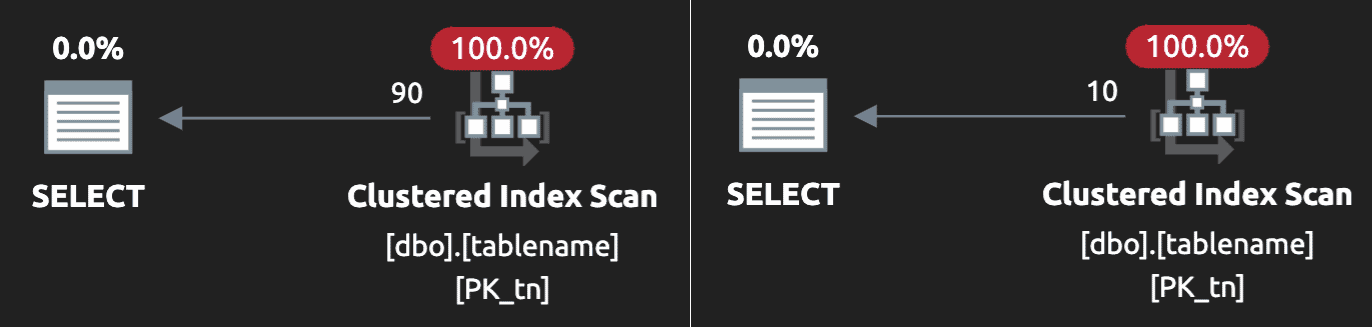
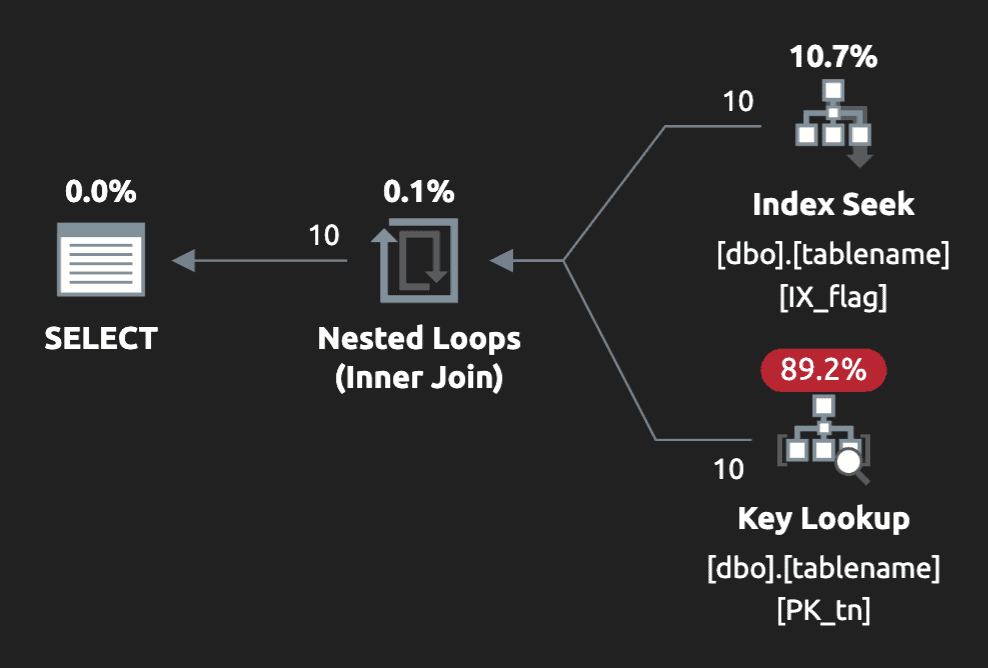
The plan for the query with COALESCE looks like this (@flag = 0 on the left, @flag = 1 on the right):

Scans all around

In the unlikely event you have an index that leads on flag_column:

CREATE INDEX IX_flag ON dbo.tablename(flag_column);

The optimizer might still ignore the index and still use a clustered index scan, depending on what parameter value was passed in on first compile. So, it may be beneficial to write the query this way (assuming that NULL and 0 are equivalent):

... FROM dbo.tablename
    WHERE flag_column = @flag
      OR (@flag = 0 AND flag_column IS NULL)
      OPTION (RECOMPILE);

Now, not everyone likes query hints, but in this case we get a much more favorable plan – however, only for the @flag = 1 case. With @flag = 0, we still get a clustered index scan:

Seek for @flag = 1

And depending on several other factors, this plan would only be chosen when scanning the narrow index and looking up the additional data nets less work than just scanning the whole table.

And again, even if that index doesn’t exist yet, having the query formulated as if it were there, since it can do no worse than the COALESCE approach, is safer and more forward-compatible.

So then I started thinking…

This sent me in a spiral thinking about how we rarely create indexes where the key leads with a bit column, and why that is.

Let’s recap: sargability is only a concern in this case if there is a valid index to use (and one that has a chance at covering the rest of the query) and that the index is useful enough to be considered even for a scan, never mind a seek, depending on how much of the table matches the (probably sniffed and cached) parameter value and how well the index covers the query. Given SELECT *, not very likely, unless this was a very narrow table.

Rarely is a bit column a good candidate for a leading index key because the selectivity just isn’t there. If SQL Server is going to have to scan an estimated 50% of the index anyway, and then perform lookups for every row for all the non-covered columns, it’s just not going to pick the index. The exception is when the data is skewed much more heavily toward 0 or 1.

And in that case, a filtered index is potentially better. But a filtered index wouldn’t be considered using the above query because the plan generated for the parameterized query has to be able to satisfy parameter values of both 0 and 1. It’s not necessarily beneficial to create both filtered indexes, because only one of them will be desirable depending on data skew, and they won’t be useful unless you also use OPTION (RECOMPILE). I’m not afraid of that hint but, in situations like this where we want the filtered index to be chosen, but we don’t want to add query hints, we’ve resorted to interpolating the parameter value into the query text (either in the application code, or using dynamic SQL) or using branching.

…let’s try a filtered index

Let’s drop the original index, and create a new filtered index catering to the case where we know it will be most useful (@flag = 1):

DROP INDEX IX_Flag ON dbo.tablename;

 CREATE INDEX IX_Flag_1 ON dbo.tablename(flag_column)
   WHERE flag_column = 1;

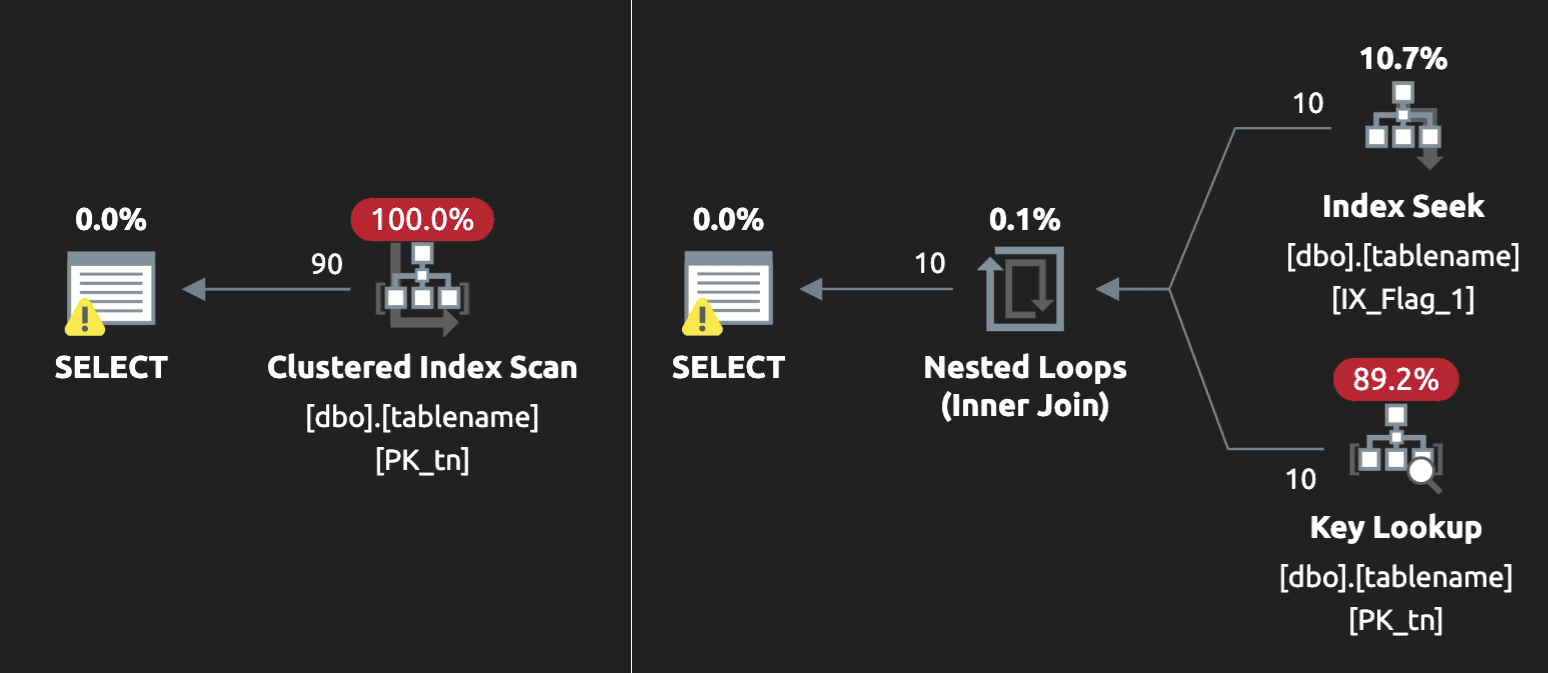
If we run the two original queries again (WHERE flag_column = @flag; and WHERE COALESCE(flag_column, 0) = @flag;), at least without OPTION (RECOMPILE), we get a clustered index scan; neither query considers the filtered index. To do that without the query hint, you’d need to build the query text without parameters in the application, or use one of the following constructs inside the procedure:

IF @flag = 1
 BEGIN
   SELECT * FROM dbo.tablename
     WHERE flag_column = 1;
 END
 ELSE
 BEGIN
   SELECT * FROM dbo.tablename
     WHERE flag_column = 0
        OR flag_column IS NULL;
 END

 /* or - sql injection jokes aside please */

 DECLARE @sql nvarchar(max) = N'SELECT * FROM dbo.tablename
   WHERE flag_column = ' + CASE @flag 
      WHEN 1 THEN N'1;' ELSE
      N'0 OR flag_column IS NULL;' END;
    
 EXEC sys.sp_executesql @sql;

For the @flag = 0 case, we still get a clustered index scan, as expected. For the @flag = 1 case, we get a slightly more pleasing seek on the filtered index, accompanied by a key lookup to get the remainder of the data:

Index seek with a lookup
(The warning on the left is a misguided missing index recommendation for a non-filtered index; on the right, we have a benign unmatched index warning, which you can read more about here.)

But I don’t like key lookups, either…

That key lookup will be less and less attractive to the optimizer the more the table grows and the wider that lookup becomes. At a certain point, SQL Server will deem it too expensive, and go back to a scan. If we want to try to eliminate the lookup, we can stop using SELECT * and only select covered columns, or we can re-create the index with the additional column(s) in the INCLUDE:

CREATE INDEX IX_Flag_1 ON dbo.tablename(flag_column)
    INCLUDE(filler)
    WHERE flag_column = 1
    WITH (DROP_EXISTING = ON);

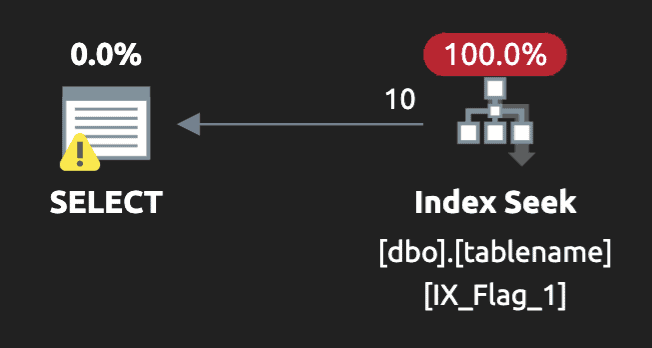
Now the execution plan for the @flag = 1 case looks like this (still with the benign unmatched index warning):

Index seek and no lookup

Final thoughts

None of these approaches is wrong; index tuning is always a balance of art and science and often involves subjective trade-offs. This just highlights that we need to be careful about using bit columns that are going to be involved in a significant portion of our workload, particularly if the distribution is not even.

For bit columns specifically, think about whether the column should allow NULL, and why. The query above would be a lot simpler to optimize if it could only be 0 or 1.

You should also consider that in cases where you use a filtered index but the key involves other columns, you can really help the optimizer out by adding the filtering column(s) to the end of the key list (this is mentioned in the documentation). Without it, it can be harder to use tricks to persuade the optimizer to choose your filtered index, something I’ll address in a future post.

Oh, and we never use SELECT * in production code, right?

The post Strategies for queries against bit columns appeared first on Simple Talk.


from Simple Talk https://ift.tt/I0YN5um
via

Saturday, November 18, 2023

Content Management System Architecture

A Content Management System (CMS) is a software application that allows users to handle digital content on a website without specialized technical knowledge. It provides an intuitive interface for non-technical users to add, edit, and organize content such as text, images, videos, and other multimedia elements.

The generation and broad distribution of website content can be streamlined with a CMS. However, it is essential to inform the public about the architecture of websites because CMSs are becoming prevalent and are added to more than half of websites today. The architecture of websites, especially those powered by a CMS holds significant importance for both creators and consumers of web content for a few reasons.

  • Security and Privacy: Understanding the architecture helps users identify whether a website employs robust security measures, which is crucial in safeguarding personal information and preventing cyber threats.
  • Performance and Responsiveness: Knowledge of website architecture can inform users how efficiently a site will load and respond to interactions. This is particularly important for users on various devices and network conditions.
  • Content Accessibility: Some architectures may affect how content is presented and accessed, especially for users with disabilities. Being aware of this can help individuals select websites that prioritize accessibility.
  • Optimized User Experience: Awareness of website architecture allows users to distinguish between well-structured, user-friendly sites and those with poor navigation or functionality. It empowers them to make informed decisions about where to invest their time and attention.
  • Future Expansion and Adaptability: Awareness of the architecture allows users to gauge whether a website is likely to adapt to evolving technologies and trends. This is important for ensuring that a site remains relevant over time.
  • Compatibility with Devices and Browsers: Different architectures may render differently on various devices or browsers. Knowing this helps users choose platforms that are compatible with their preferred devices and software.

In this article I will go over the different types of CMS architectures there are in common use today.

What is CMS Architecture?

CMS architectures specify the structuring and execution of frontend and backend processes within CMS systems. It simply depicts how the tools responsible for publishing and managing content interact with those used to create and edit the frontend and backend. It also encompasses the arrangement of components and how they work together to manage and deliver digital content on a website.

There are different CMSs on the market, and each CMS boasts its own unique build and comes with distinct pricing structures. Some exhibit remarkable agility and scalability, while others offer cost-effective implementation and cater to business users. However, in this trade-off, they may substitute some flexibility and adaptability.

While these trade-offs may be nuanced and intricate, the defining factor that distinguishes one CMS from another is apparent and unwavering: Simply, its foundational architecture. It is also important to know that the architecture of a CMS dictates the manner, extent, and conditions under which the frontend communicates with the backend.

The different kinds of CMSs on the market

Various types of CMS are available on the market, each designed to cater to different needs and preferences. Here are some distinct ways a CMS system may be architected:

In each section I will provide a high-level overview of how the process of delivering content works with each style of CMS.

Headless CMS:

In Headless CMS architecture, there is no predetermined frontend which relies on templates for content presentation. Instead, the back-end dynamically spreads content across diverse devices and channels—such as the web—allowing each to autonomously dictate the manner in which the content is displayed. Headless CMS separates the content management backend from the front-end presentation layer. It provides content through APIs, enabling developers to use any technology for the user interface. Examples include Strapi, Contentful, and Sanity.

Here’s an overview of how the workflow for Headless CMS goes:

  • Content Creation: Content creators use the CMS interface to generate and upload content (text, images, videos, etc.).
  • Content Storage: The content is stored in a database or file system within the CMS.
  • API Request: When a user visits a website or application, a request is sent to the CMS for content.
  • API Communication: The CMS’s API processes the request and retrieves the relevant content from the database.
  • Content Delivery: The content is delivered to the website or application via API response.
  • Frontend Rendering: The website or application’s frontend (built separately) receives the content and renders it dynamically.
  • Display to User: The final content is displayed to the user on the website or application.

Coupled CMS:

Also known as Traditional or Monolithic CMS. This architecture is the most common and familiar, and it is a comprehensive platform that allows users to create, manage, and publish content in a structured manner. It is used by popular platforms like WordPress, Joomla, and Drupal.

The frontend and backend are tightly connected or linked. This references content editors and site designers sharing and interacting with a unified interface while crafting websites with CMS tools. Within this architectural framework, both facets of the CMS rely on a common pool of resources, and content delivery systems are seamlessly woven into the fabric of the architecture on a large scale.

Here’s an overview of how the workflow for Coupled CMS goes:

  • Content Creation: Content creators use the CMS interface to generate and upload content (text, images, videos, etc.).
  • Content Storage: The content is stored in the CMS database.
  • Rendering Engine: The CMS includes a rendering engine that generates the HTML pages directly.
  • Page Delivery: When a user visits a website, the CMS serves the pre-rendered HTML page to the user’s browser.
  • Display to User: The user’s browser displays the HTML page directly.

Decoupled CMS:

There is a deliberate separation, or “decoupling,” of frontend and backend processes in decoupled CMS architecture. This leads to an administrative and publishing framework where interactions are infrequent. Each operates within its distinct set of resources and regulations, affording administrators the ability to implement substantial backend modifications without disrupting frontend operations, and vice versa.

This decoupling also enables the independent scaling of resources, precisely focusing on front or backend requirements without incurring unnecessary infrastructure expenses.

Here’s an overview of how the workflow for Decoupled CMS goes:

  • Content Creation: Content creators use the CMS interface to generate and upload content (text, images, videos, etc.).
  • Content Storage: The content is stored in the CMS database.
  • API Request (Content Retrieval): When a user visits a website or application, a request is sent to the CMS for content.
  • API Communication: The CMS’s API processes the request and retrieves the relevant content from the database.
  • Content Delivery (API Response): The content is delivered to the website or application via API response.
  • Frontend Rendering (Separate Application): The website or application frontend (built separately) receives the content and renders it dynamically.
  • Display to User: The final content is displayed to the user on the website or application.

Hybrid CMS:

Hybrid CMS architecture harmoniously melds elements from decoupled, coupled, and headless frameworks, orchestrating an efficient content creation and delivery process. While maintaining the separation of backend and frontend operations to empower developers, the frontend solution is a tailored, API-powered presentation layer. In essence, it embodies a headless CMS model, complemented by a unified frontend framework for orchestrating publication channels across diverse platforms.

Simply put: A hybrid CMS architecture blends the adaptability of headless CMS with the ability to personalize content and utilize analytics, which is provided by traditional CMS architecture.

Here’s an overview of how the workflow for Hybrid CMS goes:

  • Content Creation: Content creators use the CMS interface to generate and upload content (text, images, videos, etc.).
  • Content Storage: The content is stored in the CMS database.
  • API Request (Content Retrieval): When a user visits a website or application, a request is sent to the CMS for content.
  • API Communication: The CMS’s API processes the request and retrieves the relevant content from the database.
  • Content Delivery (API Response): The content is delivered to the website or application via API response.
  • Frontend Rendering (Separate Application with Single Frontend Framework): The website or application frontend (built separately) receives the content and renders it dynamically.
  • Display to User: The final content is displayed to the user on the website or application.

Digital Experience Platform(DXP) CMS:

A DXP CMS goes beyond traditional content management by offering additional features and capabilities, such as customer relationship management (CRM), personalization, analytics, e-commerce, marketing automation, and more. It’s designed to provide a comprehensive suite of tools for businesses to create, manage, optimize, and deliver content in a way that enhances customer experiences.

The architecture of a Digital Experience Platform (DXP) with a CMS component is a comprehensive structure designed to facilitate creating, managing, and delivering seamless digital experiences across various channels and touchpoints. Example of a Digital Experience Platform (DXP) with a robust CMS component is Adobe Experience Manager (AEM).

Here’s an overview of how the workflow for Digital Experience Platform CMS goes:

  • Content Creation and Management: Content creators use the DXP’s content management system (CMS) to create and organize content (text, images, videos, etc.).
  • Personalization and Targeting: DXP utilizes user data and behavior to personalize content for individual users or segments.
  • Integration with Customer Data Platforms (CDP): DXP may integrate with CDPs to access and utilize customer data for personalization and targeting efforts.
  • Cross-Channel Delivery: DXP facilitates content delivery across multiple channels including websites, mobile apps, social media, email, and more.
  • Multi-Touchpoint Engagement: Users interact with content through various touchpoints, and DXP tracks these interactions for analytics and optimization.
  • User Experience Optimization: DXP continuously monitors user behavior and engagement to optimize the user experience.
  • A/B Testing and Experimentation: DXP allows for A/B testing and experimentation to assess the effectiveness of different content variations.
  • Analytics and Insights: DXP provides comprehensive analytics on user behavior, engagement, and conversion rates to inform content strategy.
  • Feedback and Sentiment Analysis: DXP may incorporate feedback mechanisms and sentiment analysis tools to gauge user satisfaction and sentiment towards content.
  • Marketing Automation Integration: DXP may integrate with marketing automation platforms to automate marketing campaigns based on user behavior and preferences.
  • AI and Machine Learning Capabilities: DXP may employ AI and machine learning algorithms for content recommendation, personalization, and optimization.
  • Customer Journey Mapping: DXP helps in visualizing and optimizing the customer journey by tracking interactions across channels and touchpoints.
  • Security and Compliance: DXP includes features to ensure data security and compliance with regulations like GDPR.
  • Scalability and Performance Optimization: DXP is designed for scalability to handle large volumes of content and user interactions while maintaining performance.
  • Integration with Third-Party Tools: DXP can integrate with various third-party tools and services for enhanced functionality (e.g., CRM, e-commerce platforms, social media).
  • Content Governance and Workflow: DXP provides tools for content governance, including workflows for content creation, review, and approval.
  • APIs for Customization and Integration: DXP offers APIs for developers to customize and extend its functionality and integrate with other systems.

Tips to choosing the right CMS

In determining the specific features and functionalities you need from the CMS. Consider factors like content creation, user permissions, SEO capabilities, e-commerce support, scalability, etc. Selecting the right Content Management System (CMS) is crucial for effectively managing and delivering content on your website. Here are some key tips to consider when choosing a CMS:

  1. Consider Ease of Use: Choose a CMS that is user-friendly and intuitive. Content editors and administrators should be able to navigate and use the system without extensive training. With streamlined workflows, insightful reporting, and effective content organization tools encompassing link management and content modeling features.
  2. Scalability and Flexibility: In-built flexibility, scalability, and performance enhancements, encompassing cloud compatibility, multi-site deployment, and the ability to extend the system with clear integration points for new integrations, connectors, and APIs. Ensure the CMS can grow with your business. It should be able to handle increased content, traffic, and additional features as your website evolves.
  3. Customization and Extensibility: Look for a CMS that allows for customization and extensions. This enables you to tailor the system to your specific needs and integrate third-party tools or plugins.
  4. SEO-Friendly Features: Opt for a CMS that includes built-in SEO tools or allows for easy optimization. This ensures your content can be easily discovered by search engines.
  5. Mobile Responsiveness: In today’s mobile-centric world, choose a CMS that provides mobile-responsive design capabilities. Your website should look and function well on various devices. Also, fast loading times are crucial for user experience and can impact SEO rankings.
  6. Community and Support: Consider the size and activity of the CMS community. A large community often means there are ample resources, forums, and tutorials available for assistance. Additionally, check if the CMS provider offers reliable customer support.
  7. Security Measures: Robust security protocols with highly customizable access controls for specific documents and information. Ensure the CMS includes features like strong user authentication, regular security updates, and options for SSL encryption. Look for a CMS with a good track record of security.

    This ensures that content is accessible only to authorized individuals and published at the appropriate times. The CMS should seamlessly integrate with your chosen enterprise security provider and third-party authentication systems like Azure AD, IdentityServer, OpenID, OAuth, etc.

  8. Content Migration and Export: Confirm that the CMS allows for easy migration of existing content and offers export options. This ensures that you’re not locked into the platform and can switch if needed.

    Scalability across multiple channels, empowering marketers to efficiently disseminate content across various platforms. This includes the ability to effortlessly incorporate new channels and adapt content and metadata to align with evolving SEO algorithms. It’s crucial to select a vendor with a proven track record of consistently updating the CMS with software development kits (SDKs), APIs, connectors, and pipelines

  9. Cost Considerations: Evaluate the total cost of ownership, including licensing fees, hosting, and potential costs for additional plugins or extensions. Compare this against your budget and business needs
  10. Integration Capabilities: Determine if the CMS integrates smoothly with other tools and systems you use, such as CRM software, marketing automation platforms, or e-commerce solutions. Global capabilities and adaptability, including support for multi-site setups and multiple languages.

    This involves seamless integration with localization and translation services, as well as functionality for multilingual editing, workflows for multinational content, and multinational governance.

  11. Content Backup and Recovery: Ensure the CMS includes features for regular content backups and provides options for easy recovery in case of data loss or system failures.
  12. Compliance and Accessibility: A user-friendly administration system designed to accommodate tailored user and group permissions, ensuring compliance with regulatory standards. This includes the capability to easily and reliably verify live content on a specific date or time. Verify that the CMS complies with relevant legal and accessibility standards, such as GDPR or ADA compliance, if applicable to your business.
  13. Customer interaction: Personalization and analytics driven by the capability to collect interaction data from every channel, including external sources and applications. This facilitates comprehensive measurement and reporting on every customer interaction and journey.

In addition, here are a few more tips that should help you as you start (or continue) your journey to figure out what content management systems to use.

If your operation involves a standalone website with straightforward templating requirements, coupled architecture solutions typically offer an optimal choice. However, if your brand is expanding and demands swift content deployment across numerous channels, exploring a headless or hybrid approach might be the way forward.

The greater the relevance of the content you provide to your customer base, the more you boost visitor numbers and enhance your SEO performance. Therefore, it’s paramount to select a CMS architecture that empowers you to swiftly generate, organize, and disseminate exceptional content. If your aim is to amass a substantial volume and diversity of content, a headless architecture option might be the optimal choice. Conversely, if maintaining uniformity among content producers and editors is crucial, a coupled architecture may offer the most advantageous solution.

Simplicity is key to content triumph. Therefore, it’s valuable to embrace a CMS architecture that minimizes complexity while meeting your specific requirements. For instance, if you lean towards intensive back-end development but aim for streamlined front-end operations, a decoupled solution strikes a harmonious balance. 

In addition to the architectures we have covered, SaaS solutions are hosted and managed by a third-party provider, allowing you to focus on content creation and user engagement without server management and infrastructure complexities. If you’re beginning to embark on your website journey, a direct SaaS solution might be precisely what you’re looking for.

An excellent example of a SaaS solution that’s widely used for content management is WordPress.com. WordPress.com offers a hassle-free, cloud-based platform for creating and managing websites. It provides a range of customizable templates, hosting services, and a user-friendly interface, making it an ideal choice for individuals and small businesses looking for an easy and efficient way to establish an online presence. With WordPress.com, users can focus on content creation and user engagement without the need for extensive technical expertise or server management. Forbes has a nice discussion on SaaS content creation software here.

Conclusion

Knowing the different kinds of CMS architecture and opting for the appropriate CMS architecture is pivotal for your content strategies and has far-reaching implications as stated in the above article.

It dictates the content creation process and defines its potential presentation venues—and any potential exclusions. Influences whether your teams are obliged to manually duplicate content modifications or revisions across multiple locations. Shapes the collaboration dynamics between marketers and developers, potentially allowing concurrent work. Directly impacts the velocity of content distribution—an elemental factor driving user engagement and customer contentment.

Understanding the nuances of CMS architecture, including the innovative approach of Headless CMS, is essential for making informed decisions in content management. While traditional CMS solutions remain valuable for many applications, the emergence of Headless CMS has introduced a new level of flexibility and adaptability, particularly in multi-channel content delivery. As the digital landscape continues to evolve, staying informed about the diverse range of CMS options available ensures that businesses can choose the architecture that best aligns with their unique needs and objectives.


The post Content Management System Architecture appeared first on Simple Talk.


from Simple Talk https://ift.tt/7T5K8rC
via

Friday, November 17, 2023

PASS Summit 2023 – Community Keynote – AIOps and ChatGPT – Prepare to Ride the Next Wave

Last but not least, the Community Keynote. Hang on to your hats, this is going to be an interesting ride!

President/Founder of SQL Skills – Kimberly Tripp

Surprised people make the Friday keynote. Agreed. This is hard and exhausting! On day to go!

Try to do your reviews as soon as possible. Then perhaps present to your team members

Get involved with a local user group!

Telling us how much she loves this community. (Louis: we have loved Kim for so long it is shocking. She was one of my first memories, her sitting on the end of the stage presenting about indexes!)

<Pass Community Summits picture>

Is that a quiz bowl picture in there?

Retiring….

Working on a book, amazing photography being shown!

Climate change is a part of the impetus.

Wants to tell kids that being geeky is OK! Girls and boys too!

Does real estate too

Thank you to Redgate (Thank you just as much!)

Visit the Expo Hall

Introducing Ben Weissman

<image of slide>

Introducint Meloday Zacharias

<image of slide>

Steve Jones walks out..

Known Kimberley for like 20 years. They were in diapers (hopefully because they were really really young, but that wasn’t specified!)

Kevin Kline, Joe Webb, and Paul Randal (spouse) come out.

<image>

THANK YOU  KIMBERLY!

<crowd picture>

Ben and Melody walk out

Introduces the future of Big Data Clusters. Ouch!

Generated welcome with Chat GPT.

<image>

It did not a completely terrible job.

What is Artificial Intelligence?

What we don’t understand can cause fear and anxiety.

Seven decades of the Turing test. It is used to determine what is AI. If an AI can seem human enough, it passes the Turing test. <add link>

New form of computing will likely touch every job in every sector


Top Fields in Artificial Intelligence

  • Machine Learning
  • Natural Language Processing
  • Computer Vision

Not that AI will take your job, but someone who Is using AI most likely will be.

Ben is demoing a few uses of AI. Like Deepfake Tom Cruise.

Using Google Translate to describe an image, translated it to Armenian, and then back.

Not completely did it right, based on the way Aremian doesn’t do gender the same way, Then does this:

Ben describes them on stage, and no matter how he describes the image he wants from Dall-E, it won’t dress a man in pink, and the woman in blue.

Is there something wrong with AI?

The post PASS Summit 2023 – Community Keynote – AIOps and ChatGPT – Prepare to Ride the Next Wave appeared first on Simple Talk.


from Simple Talk https://ift.tt/sRPlqSr
via

Thursday, November 16, 2023

PASS Summit 2023 – Redgate Keynote – The New Database Landscape – Revealing Shifts and Charting the Next Horizon

Day 2 is here! Sitting here at the bloggers table waiting for the keynote to commence!

<image to be added>

Carly Miechen – Redgate Events (Check name spelling!)

Welcome to day 2. Let the Event team this year! (Great job Carly). Carly’s fifth PASS (first in 7 years!).  Welcome to the people watching on the livestream as well!

All general sessions will be available on demand after Summit! Within a few weeks. People at the conference get access through February.

Connect, Share, and Learn. Meet someone new in the “hallway track”. Best track at the Summit (and you can’t get the recordings!)

The Women in Technology Luncheon is today!

Now, the Redgate Keynote. Introducing the team doing end to end DevOp! And information from the State of the Database report. Live Interactive poll

Developer Advocate, Ryan Booz

<picture>

Ryan sharing the love Redgate has for PostgreSQL.

Year was 2004, he was singing with the 4 decades.

<need that picture!>

By 2018, he was hanging out with goats and learning analytics using the Microsoft analytics. Then he was introduced to PostgreSQL.

<picture>

The rest is history, which he is actually telling us.

<picture>

The elephant in the room!

In fact, he is explaining just how I feel when I am using PostgreSQL. Lost. It is really different. Different isn’t inherently bad, but it is easy!  Ryan dug more and more into PostgreSQL working with Timescale.

Found out, through seeing Grant Fritchey talking about PostgreSQL, that Redgate was doing more PostgreSQL, and that rest is history.

Head of Product Design For Redgate = Tushita Gupta

Sharing information from multiple sources, including our State of the Database Landscape Report.

Live questons: How many database platforms is your organization using. (Oh how happy am I that that question was database platforms!

Results: Most are using multi-platform. Nearly 1/2 of the people responding said they had multiple platforms.

Somewhat to save money, but that cost savings can increase complexity.

<monitoring quote image>

Where are your organization’s databases hosted?

Hybrid, 58%, On Prem- 32, All Cloud 11%

Matches up with our reviews.

From our reviews:

<image>

End to end Database DevOps

<image>

Has your organization used AI for database management? 40% no.

Potential gains through AI.

Provisioning, developing, integration.. Monitoring, and everything in between..

<image>

Test data.

60% of people responding us prod data for testing!

The post PASS Summit 2023 – Redgate Keynote – The New Database Landscape – Revealing Shifts and Charting the Next Horizon appeared first on Simple Talk.


from Simple Talk https://ift.tt/owdI2p9
via

Making Accessibility Part of the Design Process – Part 1

Accessibility should not be an afterthought

In a world that thrives on connectivity and progress, the concept of accessibility has emerged as a fundamental bridge that connects diverse individuals to a shared digital landscape. Accessibility goes beyond mere convenience; it embodies the principles of equity and inclusion, ensuring that information, activities, and environments are not only usable but also beneficial to everyone. Whether the challenge is permanent, temporary, or situational, accessibility extends its hand to embrace all, especially those with disabilities.

Surrounded by Accessibility

To give you a clearer picture of accessibility, envision the sidewalks and buildings around you—these are the tactile embodiments of accessibility. Sidewalk ramps, designed initially for individuals in wheelchairs, have inadvertently paved the way for parents with strollers, shoppers with carts, and cyclists on wheeled adventures. Push-to-open buttons by doors intended to empower those with mobility impairments, also assist children, the elderly, and those recovering from accidents. These are just a glimpse of the numerous ways accessibility has subtly but profoundly woven itself into our daily lives.

Yet, as our physical world becomes more inclusive, our digital realm faces a persistent challenge. Technology, while promising boundless potential, often falls short of being universally accessible. This article delves into the intricate tapestry of accessibility, revealing not only its profound importance but also the significant strides needed to make our digital world as inclusive as our physical one.

What is Accessibility?

Accessibility is creating an avenue where information, activities, and elements of the general environment are understandable, beneficial, practical, meaningful, and usable for as many people as possible, including persons with disabilities. The disability may be permanent, temporal, or situational.


Permanent

Temporary

Situational

Touch

One Arm

Arm Injury

New Parent

Sight

Blind

Cataract

Distracted Driver

Hearing

Deaf

Ear Infection

Bartender/Construction Worker

Speech

Non – Verbal

Laryngitis

Heavy Accent

Figure 1 Table showing the various Types of Disabilities and examples

Who Should Read This Article

This article is designed to cater to a diverse readership, ranging from those with a casual interest in expanding their knowledge to seasoned tech experts and stakeholders. Here’s a breakdown of who might find this content particularly relevant:

  • Curious Minds and Avid Readers: If you’re someone who loves to explore new ideas and gain insights, this article provides a wealth of information that can quench your intellectual thirst and expand your understanding of technology’s impact on our lives.
  • Tech Enthusiasts and Professionals: Tech-savvy individuals, including designers, developers, project managers, and UX/UI specialists, will discover valuable insights within these pages. Our discussions assume a basic familiarity with design principles, user experience, and development processes.
  • Accessibility Advocates: Those passionate about creating inclusive digital experiences will find this article to be a valuable resource. A prior understanding of accessibility standards, such as WCAG (Web Content Accessibility Guidelines), and assistive technologies will enhance your comprehension of the content.

However, it’s important to note that certain sections of our discussion may pose a challenge, as we discuss the intricate process of creating accessible web pages and applications. While there may not be actual lines of code within the document, our primary focus is on unraveling the fundamental concepts that drive web development.

So, whether you’re here to satisfy your curiosity, deepen your tech knowledge, or champion digital inclusivity, you’re in the right place.

What is Accessible Technology?

Accessible technology refers to technology designed specifically to tend to the needs of a variety of people. This technology from its conception is built to cater to individualized user experience and needs (“Types of AT / Guide to assistive technology,” n.d.). Accessible technologies are built for users who exhibit remarkable diversity over a wide range of diversity (What Is Accessible Technology? – UW–⁠Madison Information Technology, 2023). In my blog Beyond Limitations, Redefining Abilities with Assistive Technology, I cover some of the different technologies available to help out with non-computing needs.

It is important to know, that even with the increasing number of assistive technologies, accessibility is not at its peak. Furthermore, assistive technologies on their own, cannot solve the accessibility crisis that has currently plagued our society (“Types of AT / Guide to assistive technology,” n.d.). This is the reason we need to transcend just the use of assistive technology and get to a place where both assistive and accessible technologies are used. A marriage of assistive and accessible technology, that is balanced, will increase accessibility, and improve the general quality of life. This improvement will not only be seen in the lives of persons with disabilities.

Usability versus Accessibility

Diving deeper into individualized user experience and needs, it is important to clarify between usability and accessibility. Accessibility and usability are companions down the same street until a technicality creates a divide. In the sense that accessibility deals more with compliance to the set technical standards according to various guidelines, to ensure that a piece of technology can be effectively used by all people – especially persons with disabilities. Accessibility also factors in the use of assistive technology.

Usability takes into consideration the wholesomeness of the user’s experience. This takes into consideration the quality, efficiency, and satisfaction of the user’s experience.

This means a technology could be accessible, providing users with the ability to interact with the technology, but not provide a shared enjoyable user experience amongst users. This does not make accessibility inferior in comparison to usability. Accessibility serves as a precursor to usability, even though accessibility places its emphasis on persons with disabilities. In a nutshell, technology that meets the requirements for accessibility and usability is a technology that is beneficial to all users (UsableNet, 2022).
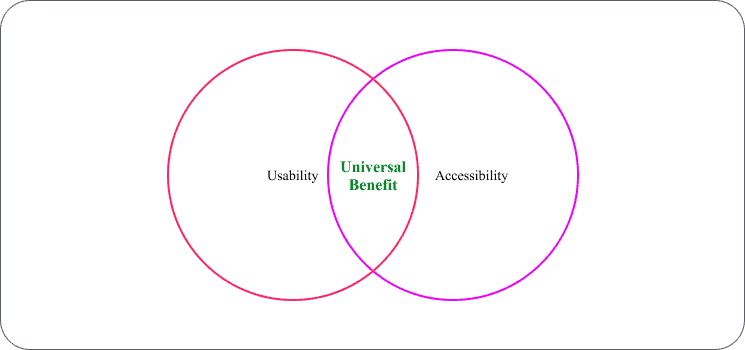
A diagram of a universal benefit Description automatically generated with medium confidence

Figure 2 The Common Ground of Usability and Accessibility Where Design is Beneficial Universally

Benefits of Accessibility

Accessibility offers a clear advantage by enabling individuals with disabilities to access and appreciate products, and services. However, the benefits of accessibility, especially in web design, extend beyond immediate improvements for people with disabilities and may hold unexpected advantages that can positively impact a broader audience. In this article, I will highlight five of such benefits.

  • Accessibility broadens your scope of influence: Technology with accessibility inbuilt, especially from conception, is a technology that meets the needs of the general populace – including persons with disabilities. More specifically, a web design made with accessibility does not cut off an entire group of people. Persons with disabilities make up about 16% of the world’s populace, which converts to about 1.3 billion people (World Health Organization: WHO, 2023). You will be doing yourself a great disservice if you eliminate these people from your reach and scope of influence. Keep in mind that, by increasing your scope of influence and your reach, you also increase the probability and possibility of your technology or website being used or visited.
  • Accessibility enhances search engine optimization (SEO): At the end of the day, what every web designer or product designer aims for is that their product will be visible to a larger audience. Accessibility besides increasing your reach, also makes your website or product more visible when searched for with search engines. This is generally due to the improved user experience, even though accessibility is not considered one of the factors that influence ranking (UserWay, 2023). Accessibility increases your reach, therefore increasing the number of users you have, which will suggest to the algorithm that your site may be what a lot of people want. Therefore, to exclude accessibility, may just be detrimental to you.
  • Accessibility establishes a favorable public image: We live in a society where inclusion is the order of the day. No faction wants to be excluded for any reason, nor should they. Your impact on society is directly proportional to your relevance in society. A negative image, such as being labelled a promoter of exclusion, will affect your public image and brand.
  • Ensures non-discriminatory practices: Exclusion, besides being publicly unacceptable, is also against human rights. This is clearly stated in Article 9 of the Convention on the Rights of Persons with Disabilities and its Optional Protocol, adopted by the United Nations in December 2006. The article vividly spells out that not only should accessibility be inculcated into daily living, but also calls for the identification and elimination of all barriers that affect accessibility (Article 9 – Accessibility | United Nations Enable, n.d.). So, not giving accessibility its due attention might just land you in a friendly chat with a judge someday!  
  • Makes you implement better standard coding practices: This benefit goes without saying and does not need much light thrown on it. A codebase written with accessibility at its core will be of better quality than a codebase that has accessibility written as an add-on. A web designer that builds with accessibility in mind from conception, will provide outstanding and societal–relevant designs and codes. The fact that you make such coding practices part of your regular coding process, will also make you relevant in this current society.

How Do We Make Web Designs Accessible?

Currently, when it comes to web design accessibility, the standards accepted worldwide are the standards established in the Web Content Accessibility Guidelines (WCAG). The WCAG is published by a group of individuals and groups called the World Wide Web Consortium (W3C) and it is updated regularly. Although the last published WCAG (WCAG 2.1), was published on 5th June 2018, there is a WCAG 2.2 Draft. This draft was published on 17th May 2023 – and is intended to be published by the end of this year. There is also a WCAG 3.0 Draft available.

The intent of the WCAG 3.0, is to expand the breadth of coverage beyond “content” and to make it stand out from its predecessors due to the popularity of the “WCAG” acronym. This is reflected in the name given to the WCAG 3.0 – “W3C Accessibility Guidelines (WCAG) 3.0″, instead of Web Content Accessibility Guidelines. Although the first working draft for WCAG 3.0 was published on 21st January 2021, the complete work has some unresolved issues. This puts the final publishing date probably a few years from now (W3C Web Accessibility Initiative (WAI), 2023).

In this article, the WCAG 2.2 Draft will be the main guideline used. The difference between the WCAG 2.2 Draft and its predecessor the WCAG 2.1 is in the drive to enhance accessibility for three groups of users with disabilities. These are users with low vision, those with cognitive limitations or learning disabilities, and those with challenges related to motor disabilities or large fingers when using mobile devices. The drive for this enhancement was fuelled by the growing numbers of mobile phone users and to facilitate an improved user experience for these users. Despite these changes, not all the needs of users have been completely met and regular improvements will be made to meet them. The WCAG 2.2 Draft is also compatible with its predecessors (Web Content Accessibility Guidelines (WCAG) 2.2, 2023).

Based on the guideline, accessibility should have three levels of conformance to meet the wide range of needs. The levels are:

  • A – the lowest
  • AA
  • AAA – the highest

These levels of conformance are based on the four principles that determine the basis for accessibility (sometimes referred to as the POUR principles):

  • Perceivable: Items you can perceive with your senses. Touch, sound, vision, etc.
  • Operable: Items referencing how the reader operates the software, like buttons, menus, navigation, etc.
  • Understandable: These items are related to how a user will recognize and remember elements of your interface. When interfaces do the same things in the same way, it is more understandable to the user.
  • Robust: Making sure the interface works the same way in all the technologies that are supported. So, if you use a site in Edge and Chrome, they should ideally work the same.

Based on these principles, there are thirteen guidelines. While the guidelines themselves may not be easily testable, they serve as a framework and set overall objectives that assist authors in comprehending the success criteria and effectively implementing the recommended techniques.

  1. Text Alternatives (Perceivable): Ensure that non-text content, such as images, icons, and multimedia, has text alternatives (e.g., alt text) that convey the same meaning or function to users who cannot see the content.
  2. Time-Based Media (Perceivable): Provide alternatives or text transcripts for time-based media (e.g., audio and video) so that users with disabilities can access the content.
  3. Adaptable (Perceivable, Operable): Create content that can be presented in different ways without losing information or structure. This helps users with disabilities who may need to adjust the presentation.
  4. Distinguishable (Perceivable): Ensure that content, including text and images, is easily distinguishable, such as having sufficient contrast between text and its background, making it more accessible to those with visual impairments.
  5. Keyboard Accessible (Operable): Ensure all functionality can be operated through a keyboard interface without requiring specific time-dependent actions like hovering or double-clicking. This benefits users who rely on keyboards or other input devices.
  6. Enough Time (Operable): Provide users with enough time to read and use content. This includes adjustable time limits for time-sensitive tasks, so users with disabilities have time to complete them.
  7. Seizures and Physical Reactions (Operable): Avoid content that could cause seizures or physical discomfort for users with photosensitive epilepsy and other sensitivities.
  8. Navigation and Consistency (Navigable): Ensure consistent and predictable navigation throughout your website or app. Users should be able to find content easily and understand how the site is structured.
  9. Input Modalities (Operable): Make content available and operable through various input methods, such as a mouse, keyboard, or touch screen. This helps users who rely on alternative input devices.
  10. Readable (Understandable): Ensure that text content is easily readable and understandable. This includes clear and simple language, consistent navigation, and a predictable layout.
  11. Predictable (Understandable): Make web pages and applications behave in a predictable way, which helps users understand and interact with the content effectively.
  12. Input Assistance (Operable): Assist users by providing input suggestions, error prevention, and clear instructions, making it easier for them to complete forms and other tasks.
  13. Robust (Robust): Ensure that your content is compatible with a wide range of user agents and technologies, including assistive technologies used by people with disabilities.

Within the WCAG 2.2 document, the working group has meticulously documented a diverse array of techniques corresponding to each guideline and success criteria. These techniques serve an informative purpose and can be classified into two distinct categories: those that are deemed sufficient to meet the success criteria and those that are advisory. While the former ensures compliance with specific requirements, the latter goes beyond such obligations and empowers authors to effectively address the guidelines. Additionally, the advisory techniques tackle accessibility barriers that may not be covered by the testable success criteria. The document also encompasses the documentation of common failures, whenever they are known, further enhancing its comprehensive nature.

This article, however, will focus on the visual patterns of accessibility and the guidelines that relate to it. The four visual patterns that will be discussed are:

Color Contrasting

Color contrasting, in the context of design and accessibility, involves strategically selecting color combinations that enhance the visibility and legibility of content. One of the most widely recognized guidelines related to color contrast is the Web Content Accessibility Guidelines (WCAG) 2.0 and its subsequent versions.

WCAG 2.0 provides specific criteria for color contrast ratios to ensure that text and images are distinguishable from their backgrounds. According to these guidelines, text should have a minimum contrast ratio of 4.5:1 against its background for normal text, while larger text (18 point or 14 point bold) requires a minimum contrast ratio of 3:1. This ensures that text content is easily readable, especially for individuals with visual impairments or color deficiencies.

By adhering to the WCAG 2.0 guidelines on color contrast, designers and developers can create digital materials that are not only visually appealing but also accessible to a broader audience, including those with varying levels of visual acuity.

In part 2 of this series, I will provide you with some additional tools to help you make sure your colors are acceptable.

Font Sizing

Font sizing in the context of design and accessibility refers to the selection and presentation of text to ensure it is legible and adjustable for various user preferences and needs. Font sizing plays a crucial role in creating an inclusive and user-friendly digital experience.

WCAG provides specific recommendations regarding font sizing to enhance accessibility. It advises that text should be resizable up to 200% without requiring assistive technology or loss of content functionality. This guideline ensures that individuals with visual impairments or those who simply prefer larger text can easily adjust font sizes to meet their reading needs.

By adhering to the WCAG recommendations on font sizing, designers and developers can accommodate a wide range of users. Providing flexible font sizing options allows individuals to customize their reading experience, ultimately enhancing the usability and accessibility of digital content.

Labelling and Iconography

Labelling and iconography are essential elements in design and accessibility, particularly in web and application interfaces. They play a significant role in providing context, guiding user interactions, and ensuring that content is comprehensible to a diverse range of users.

WCAG emphasizes the importance of clear and descriptive labels for form fields, buttons, links, and other interactive elements. Descriptive labels enable users, including those who rely on screen readers or assistive technologies, to understand the purpose and function of various interface elements. This ensures that users can navigate and interact with digital content effectively.

Additionally, WCAG guides the use of iconography. Icons should have clear and consistent meanings to avoid confusion. Alternative text (alt text) for icons is essential for users who cannot perceive the visual content.

Incorporating well-labeled and appropriately designed icons enhances the overall user experience and helps individuals interact with digital content more effectively, regardless of their abilities or assistive technology usage.

Navigation and flow

Navigation and flow are fundamental aspects of design and accessibility, impacting how users interact with digital interfaces. These elements are crucial in ensuring that users, including those with disabilities, can navigate content easily and efficiently.

WCAG highlights the importance of consistent and logical navigation structures. Menus, links, and other navigation elements should be organized clearly and predictably. This helps users understand the layout of a website or application and find their way around it with ease.

Flow, on the other hand, involves the sequence of interactions within a digital interface. WCAG advises that interactive elements, such as forms or multi-step processes, should follow a logical and intuitive flow. This ensures that users can complete tasks without confusion or errors. For individuals with cognitive disabilities or those using assistive technologies, a well-structured flow can significantly improve the user experience.

Understanding and practicalizing these guidelines help individuals, including those with disabilities, interact with content seamlessly, resulting in a more accommodating digital environment.

In part 2 of this series on Accessibility, we will delve deeper into the details of each of these topics. We will explore their intricacies and share practical tips needed to create digital experiences that are not only visually engaging but also accessible to all.

Conclusion

It is imperative to recognize that accessibility goes beyond being used as add-ons, plugins, or optional services. It should be ingrained in the very fabric of digital experiences and seamlessly integrated into every aspect of web development. Embracing accessibility is not just about catering to persons with disabilities; it’s about creating a digital landscape that benefits everyone. By making our websites, applications, and content accessible, we foster a more inclusive online world for all users, regardless of their abilities or disabilities.

Furthermore, accessibility serves as a powerful catalyst for positive change – making the online realm a better place for everyone. It allows individuals to participate fully, access information, and engage with digital services on an equal footing. Thus, by breaking down barriers, and fostering a more empathetic and user-centric approach, we create a web environment that empowers and enriches the lives of all individuals.

Ultimately, let us begin to see accessibility as an integral part of our digital DNA, not as an afterthought or an optional extra. Realizing that, by embracing accessibility wholeheartedly, we not only create a better experience for users with disabilities but also elevate the user experience of the digital landscape for every single one of us. Together, let us work towards building a more inclusive, compassionate, and harmonious digital world that leaves no one behind.

References

Article 9 – Accessibility | United Nations enable. (n.d.). https://www.un.org/development/desa/disabilities/convention-on-the-rights-of-persons-with-disabilities/article-9-accessibility.html

UsableNet. (2022, August 22). Accessibility vs Usability: What is the Difference to the Disability Community? UsableNet Blog. Retrieved July 13, 2023, from https://blog.usablenet.com/accessibility-vs-usability-what-is-the-difference-to-the-disability-community#:~:text=To%20help%20these%20users%20accomplish,effective%20experiences%20for%20all%20users.

UserWay. (2023). SEO and Accessibility: Essential Factors to Keep in Mind. UserWay Blog. https://userway.org/blog/the-impact-of-accessibility-on-seo/#:~:text=Accessibility%20is%20not%20an%20SEO,content%20better%20and%20improve%20searchability.

W3C Web Accessibility Initiative (WAI). (2023, May 16). WCAG 3 introduction. Web Accessibility Initiative (WAI). https://www.w3.org/WAI/standards-guidelines/wcag/wcag3-intro/

W3c Web Accessibility Initiative. (2019, July 27). Form instructions. Web Accessibility Initiative (WAI). Retrieved July 17, 2023, from https://www.w3.org/WAI/tutorials/forms/instructions/

Web Content Accessibility Guidelines (WCAG) 2.2. (2023, May 17). https://www.w3.org/TR/WCAG22/

What is accessible technology? – UW–⁠Madison Information Technology. (2023, May 23). UW–⁠Madison Information Technology. https://it.wisc.edu/learn/make-it-accessible/what-is-accessible-technology/

World Health Organization: WHO. (2023). Disability. www.who.int. https://www.who.int/news-room/fact-sheets/detail/disability-and-health#:~:text=Key%20facts,earlier%20than%20those%20without%20disabilities.


The post Making Accessibility Part of the Design Process – Part 1 appeared first on Simple Talk.


from Simple Talk https://ift.tt/NawYeGc
via

Wednesday, November 15, 2023

PASS Summit 2023 – Microsoft Keynote – Limitless growth, limitless opportunities: Data and innovation in an AI world

CEO of Redgate: Jakub Lemik:

This year’s theme is Connect, Share, and Learn. Tomorrow will be 

People are here from 44 countries. The summit has 5 tracsk, 232 sessions with 231 speakers!

43% of attendees are first timers!

Thank you sponsors! (Image coming soon)

Next year’s Summit: 4-8 November 2024!

Vice President of Azure Databases: Shireesh Thota

Community is important to making this all work. Azure Data Community: 150000+ members, 172+ user groups, 44 countries! 

Microsoft loves your feedback!

Showing a history of Microsoft SQL Server. Either the crowd is quite, or not a lot of people here worked with SQL Server 1.0, or even 6.5, I feel old! 

Not sure of the name of the next speaker, from Microsoft

SQL from edge to the cloud. Develop once, deploy anywhere. Last year they announced SQLServer 2022, SQL Server 2022 is the fastest adopted version of SQL Server. Paid instances grew 19% on Windows, and 15% on Linux.

One of the key innovations as been Azure Arc. It extends data services to your data estate. Brings Management, Governance (Purview), and Security (Defender). 

Announcing!

  • Monitoring for SQL Server – Preview
  • Enhanced HA/DR management – Preview
  • Extended Security Updates as a service and Automated patching – Generally Available
  • Azure SQL Managed Instance feature wave – Generally Available (Included things like being able to stop and start the platform.
  • Azure SQL Managed Instance free offer! – Preview. Will give you up to a year of MI to try out the platform

Vladamir Ivanovic

Cloud Modernization Journey – Evaluate, Optimize, Migrate, and Modernize

Demoing Managed Instance, showing how they have Business Critical level, and MI Link. And you can use it to migrate to a Managed Instance.

With an MI instance, you are just a few steps away from modernizing your application by connecting to Microsoft Fabric.

Vice President of Azure Databases: Shireesh Thota Returns

Asks a question about who is building AI apps. No a lot of replies from the crowd!

It is generally accepted forecast that 500 million new apps will be built in next 5 years.

Announcing: Azure SQL Database Hyperscale – Same price as commercial OSS databases- Generally available 

Bob Ward and Conor Cunningham

Both wearing proper clothes for a keynote . GO Cowboys (picture to be added)

Showing us things about hyperscale (and they have a developer edition). Batch mode working on hyperscale. Making lots of investments on this. And always trust Conor (Conor is super smart, but so is Bob).

Next showing how they have solved the schema lock problem. Added a column to a table and other queries didn’t see the column until after it had finished (and was committed).

Next showing a Chat Playground to have a chat session with the data in their SQL Server. You can even build a stored procedure to do the same thing with the database! (Uses the REST API interfaces in the T-SQL)

The Bob and Conor Show did not let us down!

Vice President of Azure Databases: Shireesh Thota Returns

Azure Cosmos DB for AI apps; AI Built-In, Guaranteed performance and scale, Flexibility and efficiency, Mission Critical

Announcing: Dynamic scaling per partition and per region – Public preview

Azure Database for PostgreSQL and MySQL

Fully managed community databases, Built in intelligence, Best total cost of awnershipt

Announcing: Azure Database for PostgreSQL Improvements

  • Premium SSD v2 – public preview
  • Near Zero Downtime Scaling -generally available
  • IOPs Scaling – public preview

Announcing: Azure Database for MySQL Improvements

  • Performance enhancements with Accelerated Logs – Public Preview

The post PASS Summit 2023 – Microsoft Keynote – Limitless growth, limitless opportunities: Data and innovation in an AI world appeared first on Simple Talk.


from Simple Talk https://ift.tt/3vRcgKS
via